Most IT teams have documentation. The problem is that it is scattered across a wiki, a shared drive, old tickets, chat threads and the memory of whoever has been there longest. A well-built internal knowledge base pulls that information into one place where people can find it, trust it and keep it current. This guide walks through how to plan, build and maintain one.
Decide what the knowledge base is for
Start by listing who will use it and what they need. On-call engineers need runbooks and system overviews. New hires need onboarding guides. Service-desk staff need troubleshooting steps for common requests. Writing down these audiences helps you decide what to write first and what can wait.
Organise by type of document
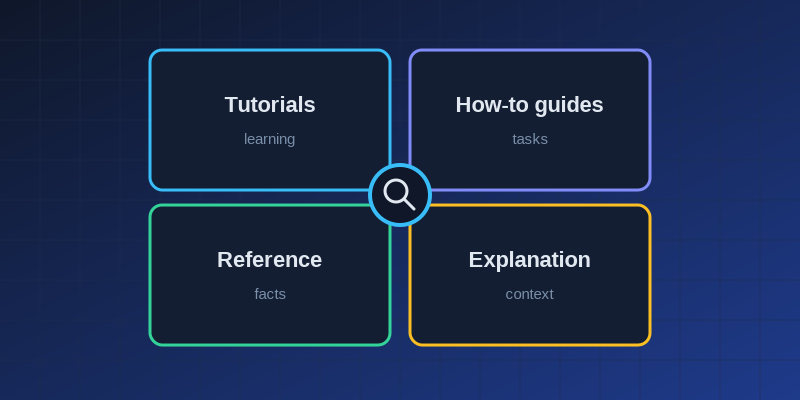
A useful way to structure documentation is the Diátaxis framework, which separates content into four types:
- Tutorials teach a newcomer by walking them through a complete exercise, such as setting up a development environment.
- How-to guides help someone who already knows the basics complete a specific task, such as rotating a certificate.
- Reference pages list facts: server inventories, port numbers, configuration options, contact lists.
- Explanations give background and reasoning, such as why the network is segmented the way it is.
Mixing these types in one page is a common reason documentation feels hard to use. A runbook full of history and design rationale is frustrating during an incident; an architecture overview written as a list of commands explains nothing.
Choose a tool your team will actually use
The best tool is the one people open. Options include wiki platforms such as Confluence, BookStack or Wiki.js, and docs-as-code setups where Markdown files live in Git and are published with a static site generator such as MkDocs, Sphinx or Docusaurus. Docs-as-code fits teams that already review changes through pull requests; wikis suit teams that want quick editing in the browser. Whatever you choose, make sure it has good search and supports links between pages.
Use templates
Templates make pages consistent and lower the effort of writing. A runbook template might include purpose, prerequisites, step-by-step actions, verification, rollback and escalation contacts. A service overview template might cover what the service does, who owns it, dependencies, dashboards and known issues. When every page follows the same pattern, readers know where to look.
Give every page an owner and a date
Stale documentation is worse than none, because people follow it. Show an owner and a "last reviewed" date on each page. Schedule reviews for critical content, such as runbooks for important services, and archive pages that no longer apply instead of leaving them to mislead.
Make search work
People search before they browse. Use clear titles that match the words people actually type, for example "Reset a user's MFA" rather than "Identity procedures v2". Add the error messages people will paste into search to troubleshooting pages. Keep a short index page for each area so browsing works too.
Write for the reader at their worst moment
Assume the reader is tired, interrupted and under pressure. Use short sentences, numbered steps and copy-pasteable commands. Put warnings before the step they apply to, not after. Include what "success" looks like so the reader knows when a step has worked.
Connect documentation to daily work
Documentation stays alive when it is part of normal work. Link runbooks from alerts, link service pages from tickets, and add a "documentation updated?" item to change and incident checklists. After an incident review, update the relevant runbook while the details are fresh.
Start small and grow
You do not need a perfect structure on day one. Begin with the ten questions your team answers most often, and the runbooks for the systems that page most. Measure success by whether people use the knowledge base instead of asking in chat, and keep improving the pages they visit most.
Sysily is an independent educational site and does not sell software or services. Product names are mentioned as examples only; evaluate tools against your own requirements.